Car Details by Rego QLD: Find the VIN, Make, Model and Year Free
Want to know what car a Queensland number plate belongs to, what year your car is, or its VIN? You can find all of this for free. The official Queensland Government registration check shows a vehicle’s VIN, year of manufacture, make, model and body shape from just the plate number, along with its registration status and expiry date.
This guide shows exactly how to get each detail, what the free check can’t tell you, when (and how) you can get more, and how to read a VIN yourself. It includes a free VIN checker that catches typing mistakes before you search. We are an independent site, not TMR; the lookups themselves are done on official government services.
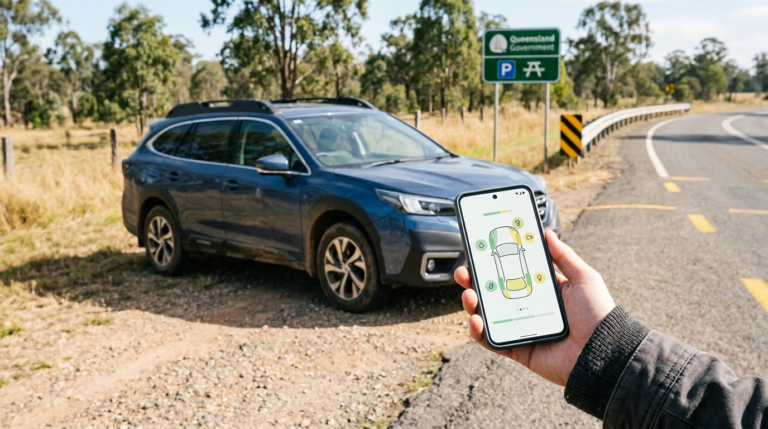
Quick answer: Enter the number plate in the free TMR check registration status service or the QLD Rego Check app. The result lists the VIN, year of manufacture, make, model, body shape and purpose of use. It never shows the owner. For finance, theft or write-off status, run a $2 PPSR search using the VIN.
How to Find a Car’s Details from Its Rego (QLD)
- Open the official check. Go to TMR’s check registration status service, or open the free QLD Rego Check app.
- Agree to the terms of use.
- Enter the registration number. Type the plate exactly as shown, without spaces. Watch for look-alike characters such as 0 and O, or 1 and I.
- Read the vehicle details. Note the VIN, year of manufacture, make, model and body shape, as well as the status and expiry date.
- Check it against the car. If you are buying, compare these details with the advert and the VIN stamped on the vehicle.
The check is free, takes about 1 to 2 minutes, and covers cars, motorcycles, trucks, trailers and boats registered in Queensland. It does not cover registrations that have been cancelled or transferred out of Queensland. For a full walkthrough, see our step-by-step QLD rego check guide.
Find the VIN from a Rego
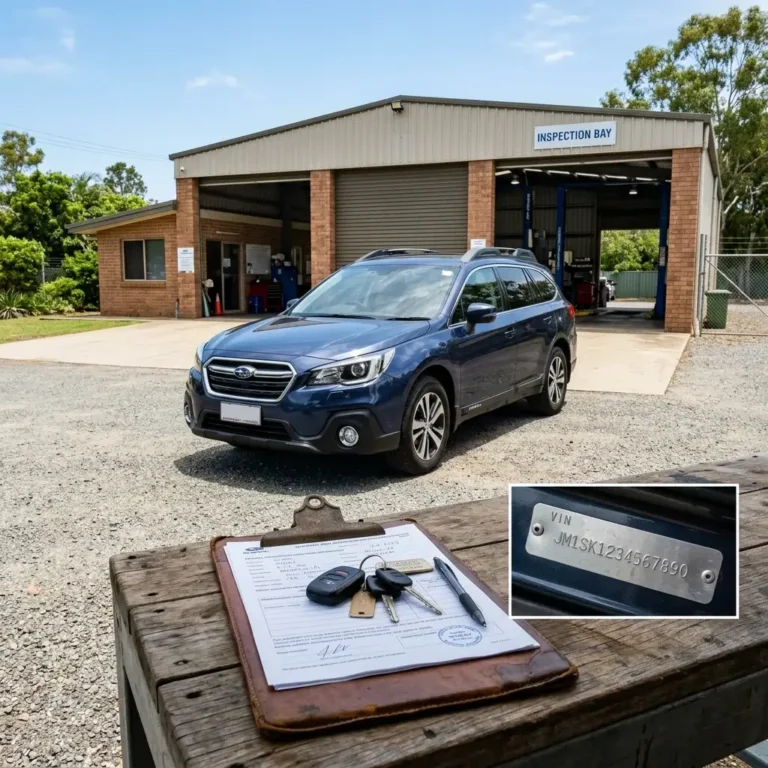
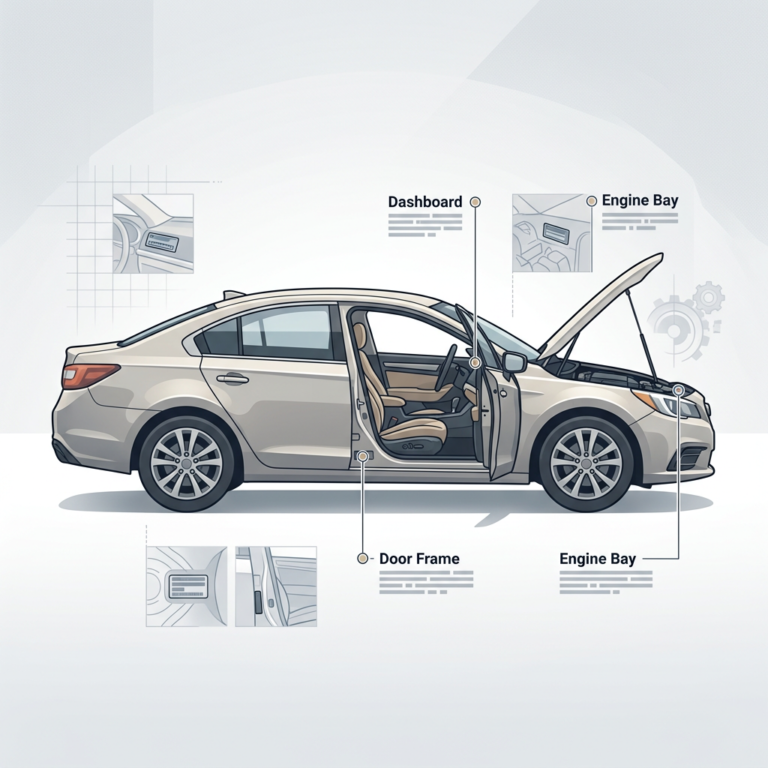
The official TMR service lists the VIN among the details it shows, so a plate search is the quickest free way to get a Queensland vehicle’s VIN. You can also find the VIN on the vehicle itself, usually at the base of the windscreen, on the driver’s door post, or on the compliance or identification plate in the engine bay. Our VIN location guide shows every place to look.
Find the make and model from a rego
The make, model and body shape (for example sedan, wagon or utility) appear in the same result. This is useful for checking that a plate belongs to the vehicle in an advert, or for identifying a car when you only know its plate.
Find what year a car is from its rego
The check shows the year of manufacture. This is the year the vehicle was built, which can differ from the model year or the year it was first sold or registered. For most buyers, the year of manufacture in the official result is the figure to rely on.
Where to Find Every Vehicle Detail
| Detail you want | Where to get it | Cost |
|---|---|---|
| Registration status and expiry date | Free TMR check or QLD Rego Check app | Free |
| VIN, year, make, model, body shape, purpose of use | Free TMR check or app | Free |
| Whether a newer vehicle is on the national Register of Approved Vehicles | RAV public search (by VIN only) | Free |
| Finance owing, stolen or written-off status | PPSR motor vehicle search (by VIN) | $2.00 per search at the time of writing |
| Engine number, colour, number of seats | TMR release of information (form F3522) | $21.55 per search (as at 1 July 2026) |
| Registered operator’s name or address | TMR release of information, only in limited legal situations | Fee applies; strict eligibility |
| Accident, odometer or service history | Commercial vehicle history reports | Varies by provider |
The Register of Approved Vehicles (RAV)
Since 1 July 2021, new vehicles approved for the Australian market are recorded on the Australian Government’s Register of Approved Vehicles instead of relying only on a physical compliance plate. The RAV public search is free and searchable by VIN only, one VIN at a time. Entry on the RAV is almost always needed before a vehicle can be registered, so it is a useful extra check on newer cars. More background is on the road vehicle standards page.
Can You Find Out Who Owns a Car by Its Rego in QLD?
Not through any free or public search. The QLD rego check deliberately does not show the registered operator’s name or personal details, and no legitimate website can look them up for you. Be wary of any site that claims it can.
TMR can release registered operator details only in specific situations, through its release of information process. Examples include:
- An accident or incident. You lodge form F3522 with supporting evidence, such as a letter from an insurer or lawyer, or a statutory declaration plus a Queensland Police traffic incident report.
- A deceased estate. The executor or administrator applies with proof, such as a grant of probate.
- Authorised bodies. For example police, courts by subpoena, local governments and lawyers acting in litigation about an incident involving the vehicle.
- Your own records. You can request information about your own registration, or authorise someone else to.
Queensland law specifically prohibits releasing owner details to recover private car park fees. Also note that Queensland records a vehicle’s registered operator; registration papers on their own are not proof of legal ownership. If you are buying, check the seller’s ID against the paperwork, as our used car checks guide explains.
How to Read a VIN
Every modern vehicle has a 17-character VIN made of capital letters and numbers. The first three characters identify the manufacturer, the next six describe the vehicle, and the last eight identify the individual vehicle. Many manufacturers use the 10th character as a model year code, but this is not guaranteed for every Australian-market vehicle, so use it only as a cross-check.
| 10th character | Model year (if the standard code is used) |
|---|---|
| A, B, C, D, E | 2010, 2011, 2012, 2013, 2014 (or 1980–1984) |
| F, G, H, J, K | 2015, 2016, 2017, 2018, 2019 (or 1985–1989) |
| L, M, N, P, R | 2020, 2021, 2022, 2023, 2024 (or 1990–1994) |
| S, T, V, W, X | 2025, 2026, 2027, 2028, 2029 (or 1995–1999) |
| Y, 1, 2, 3, 4 | 2000, 2001, 2002, 2003, 2004 |
| 5, 6, 7, 8, 9 | 2005, 2006, 2007, 2008, 2009 |
Free VIN Checker
Typing errors are the most common reason a VIN search fails, and a mistyped VIN on a paid PPSR search still costs you. Paste the VIN below to check its length and characters, see its three sections and the possible model year.
VIN Checker & Decoder
Paste a VIN to check it is typed correctly before you search the official services. It runs in your browser: nothing is sent or stored.
| Length | – |
| Characters | – |
| Manufacturer code (WMI, 1–3) | – |
| Descriptor (VDS, 4–9) | – |
| Identifier (VIS, 10–17) | – |
| Possible model year (position 10) | – |
| Result | – |
Tip: VINs never use I, O or Q.
Why Your Search Might Not Work
| Problem | Likely cause | What to do |
|---|---|---|
| No result for the plate | Typo, or look-alike characters (0/O, 1/I, 5/S, 8/B) | Retype slowly from the plate or papers |
| VIN not accepted | Vehicle made before 1 January 1989, or a typing error | Search by number plate instead |
| Only have a chassis number | The QLD check cannot search chassis numbers | Use the plate; PPSR accepts chassis numbers for older vehicles |
| Boat search fails | HIN and boat SIN searches are not supported | Search by the boat’s registration number |
| Vehicle not found at all | Registration cancelled, or vehicle registered in another state | Contact TMR on 13 23 80, or use that state’s official check |
Using Car Details to Avoid Buying Scams
- Match three ways. The make, model and body shape from the plate search, the VIN on the car and the VIN on the paperwork should all agree.
- Watch for a mismatch. A plate that returns a different model from the advert can mean swapped plates or a wrong listing. Do not pay until it is explained.
- Check the expiry date. Know how much rego is left before you agree on a price. Our rego due date guide has a countdown tool.
- Run a PPSR search on the day you pay. It is the official check for finance, theft and write-off records.
- Budget for transfer costs. See our QLD rego cost guide for the transfer fee and a stamp duty calculator.
Frequently Asked Questions
Can I find out what model my car is by its rego in QLD?
Yes. Enter the plate in the free TMR check or the QLD Rego Check app. The result shows the make, model and body shape.
How do I find what year my car is by rego?
The free QLD check shows the year of manufacture. That is the year the vehicle was built, and it can differ from the model year or first registration date.
Can I get a VIN from a number plate in Queensland?
Yes. The official free check lists the VIN as part of the vehicle details. You can also read it from the windscreen, door post or compliance plate.
Is the QLD vehicle details check free?
Yes. The online check and the QLD Rego Check app are free. Extra details such as engine number and colour cost $21.55 per search through TMR’s release of information process.
Can I find the owner of a car by its rego?
No public search shows the owner. TMR only releases registered operator details in limited situations, such as an accident with supporting documents, and never to recover private car park fees.
Does the QLD rego check show if a car is stolen or written off?
No. Use an official PPSR motor vehicle search with the VIN to check for finance, theft and write-off records.
Why can’t I search by VIN?
VIN searches only work for vehicles made since 1 January 1989. For older vehicles, search by number plate.
Sources and Review
Prepared from official government sources and last reviewed in November 2026. Services and fees can change, so confirm details on the official sites.
- Queensland Government: Check a registration status
- Queensland Government: Release of information
- Queensland Government: Registration fees (release of information fees)
- Australian Government: Register of Approved Vehicles public search
- Australian Government: Road vehicle standards laws
- TMR: Finding vehicle details (VIN and compliance plates)
- PPSR: Personal Property Securities Register
Disclaimer: qldcheckrego.com is an independent information site, not affiliated with the Queensland Government or TMR. We do not access government databases or provide official results. The VIN checker runs only in your browser.
3 Comments